E.G. DESIGN | USER EXPERIENCE
InDesign, Illustrator, Photoshop
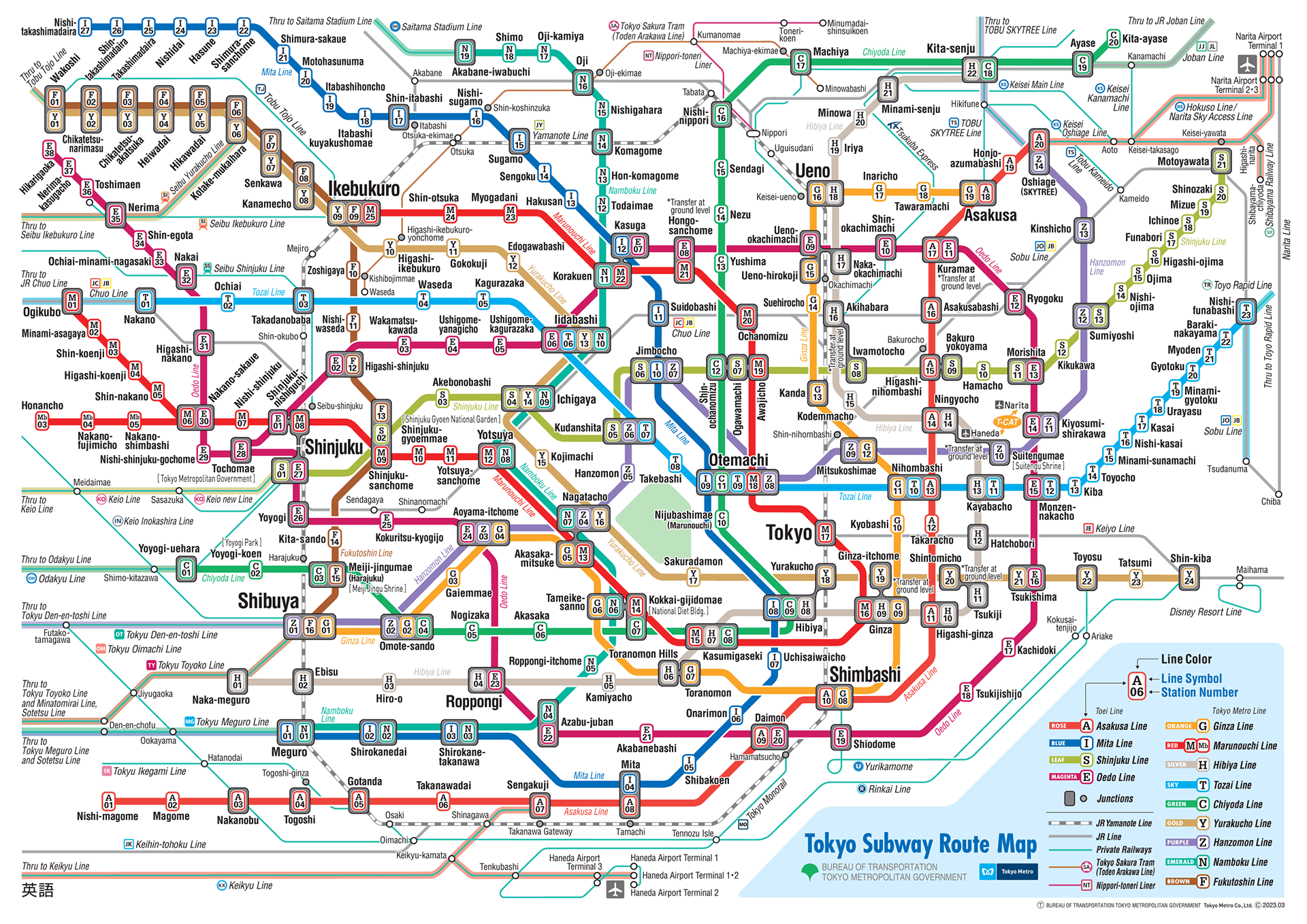
This project breaks down my experience using mass transit in Tokyo to better understand the impact of design decisions and features in wayfinding systems and looks to find or apply those principles to the Link Light Rail.
the lines
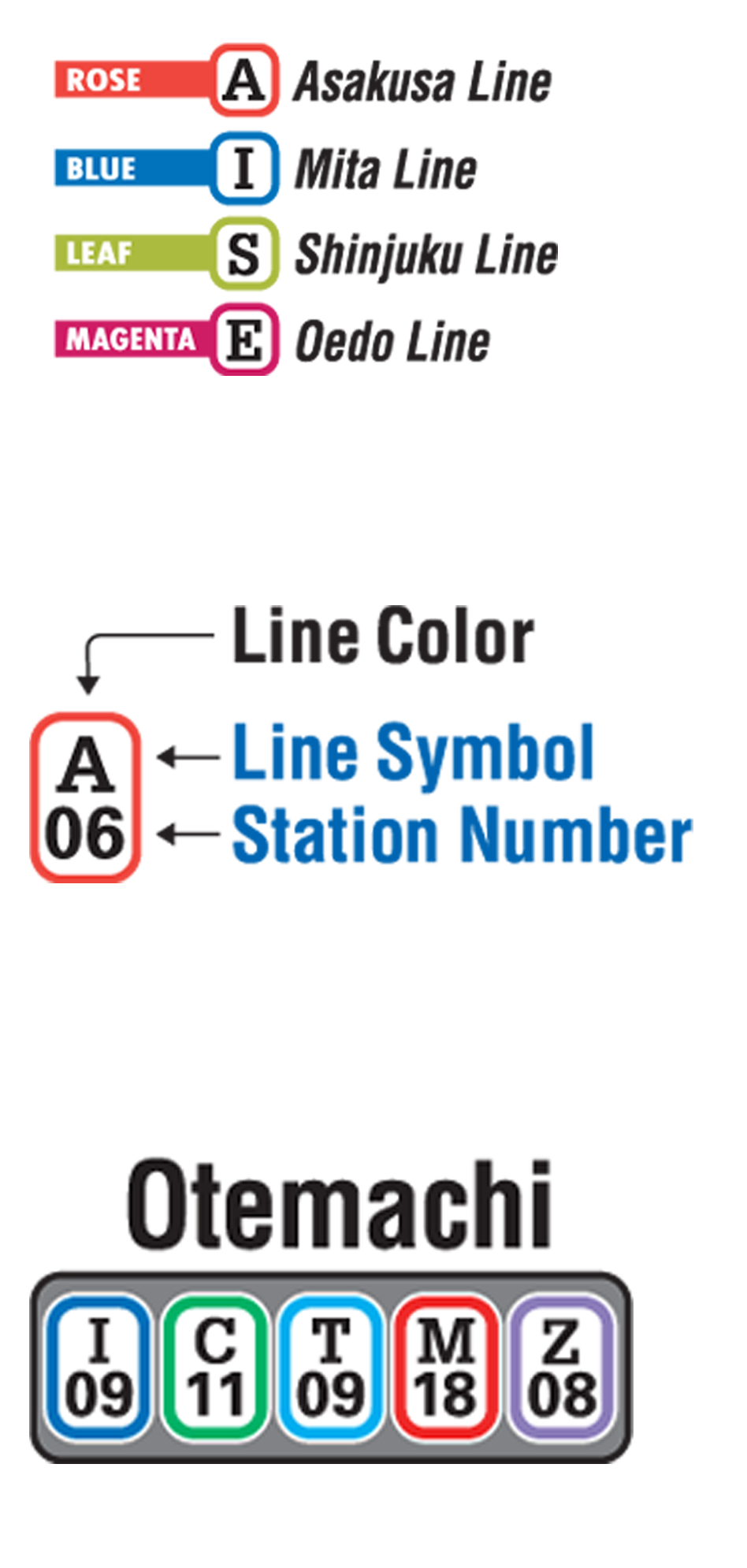
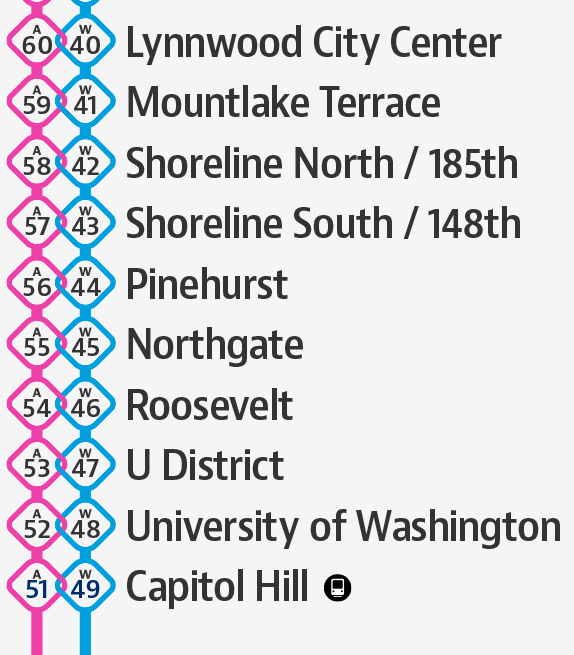
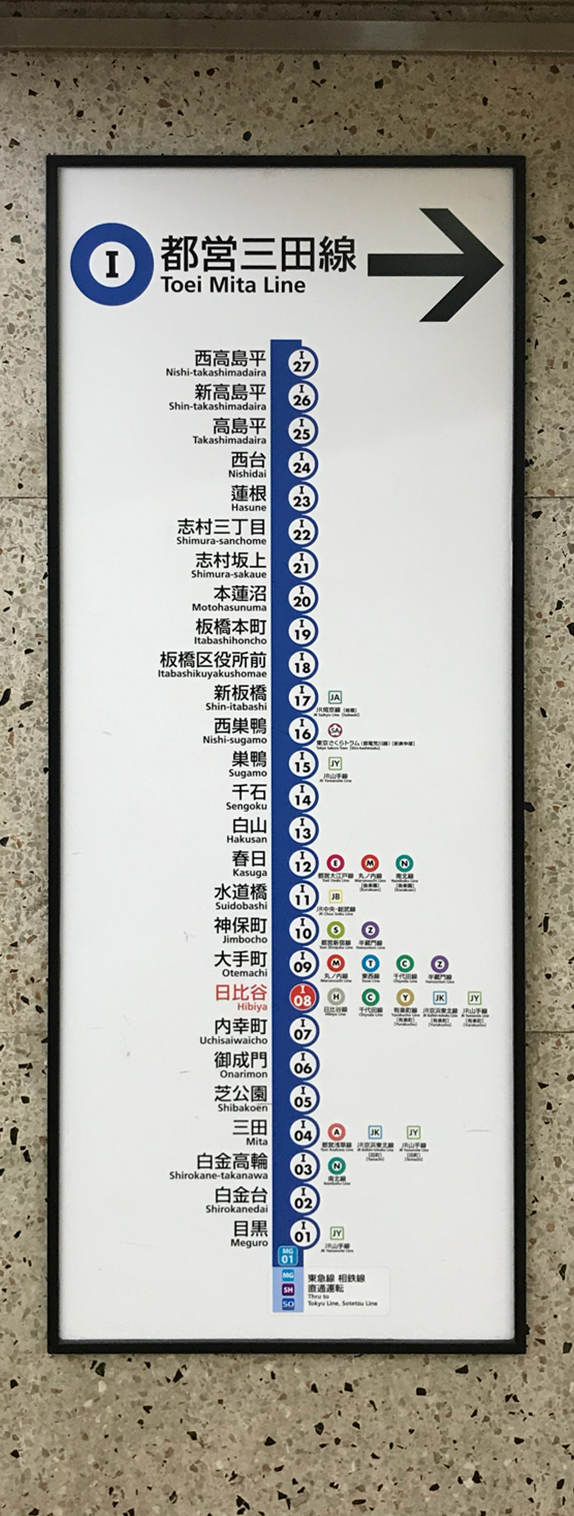
Tokyo Metro line designations are built for accessibility. Redundant coding—a name, a single-letter abbreviation, and unique color—provide multiple methods for information retention and association based on user needs. The numbering of stops across each line individually keeps navigation along lines simple.
Examples of Tokyo Metro lines depicted by line name, color, and letter abbreviation.
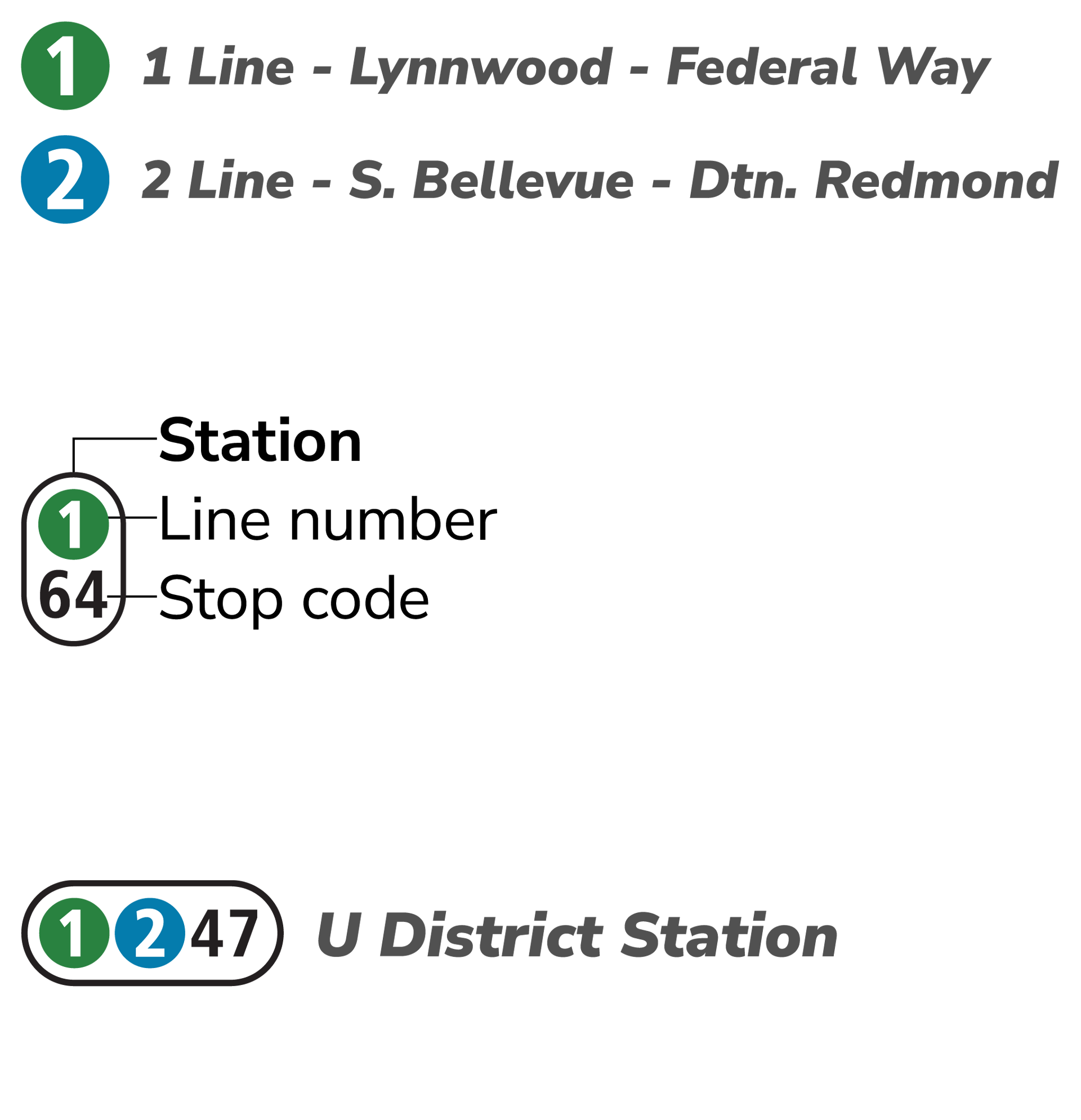
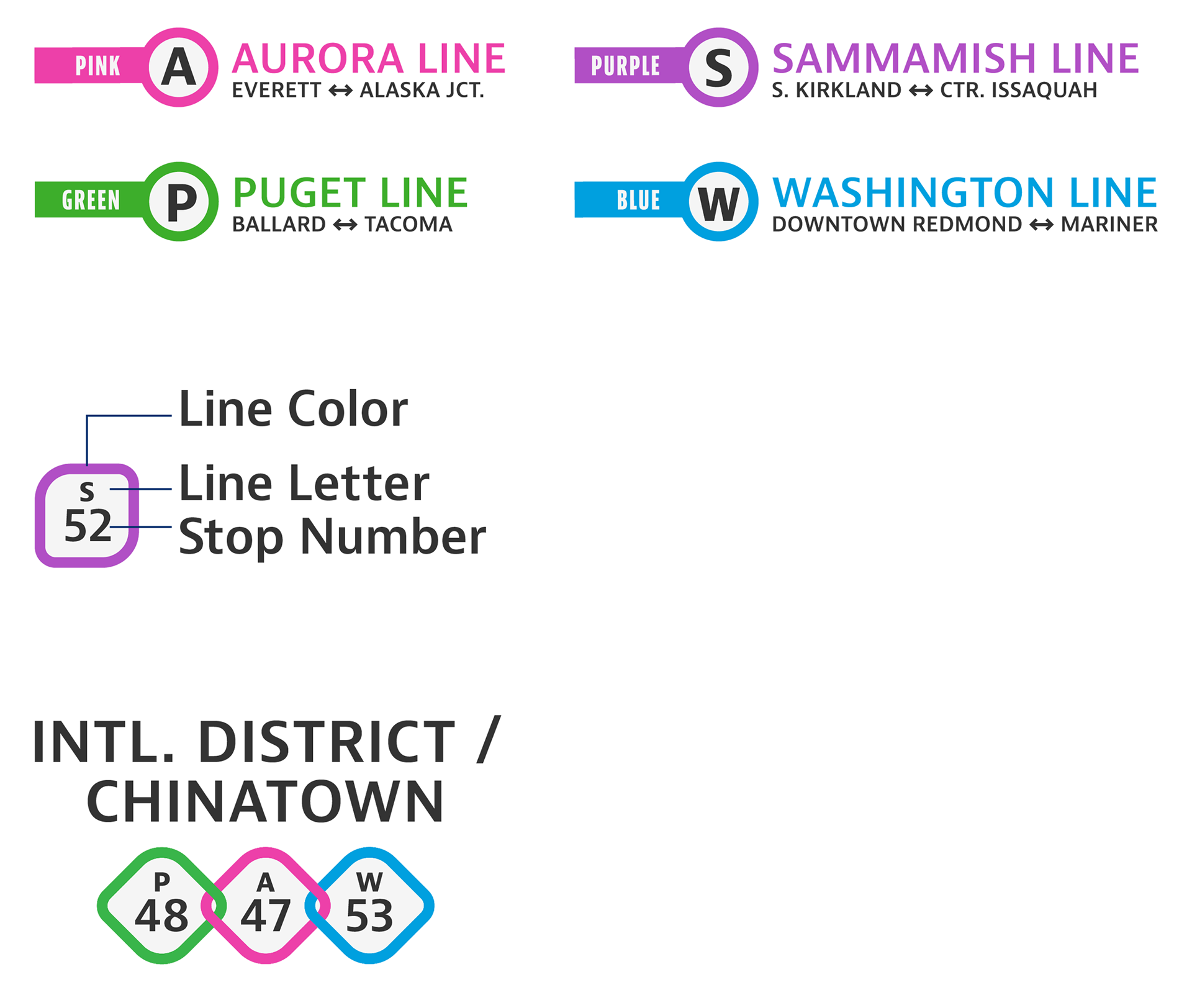
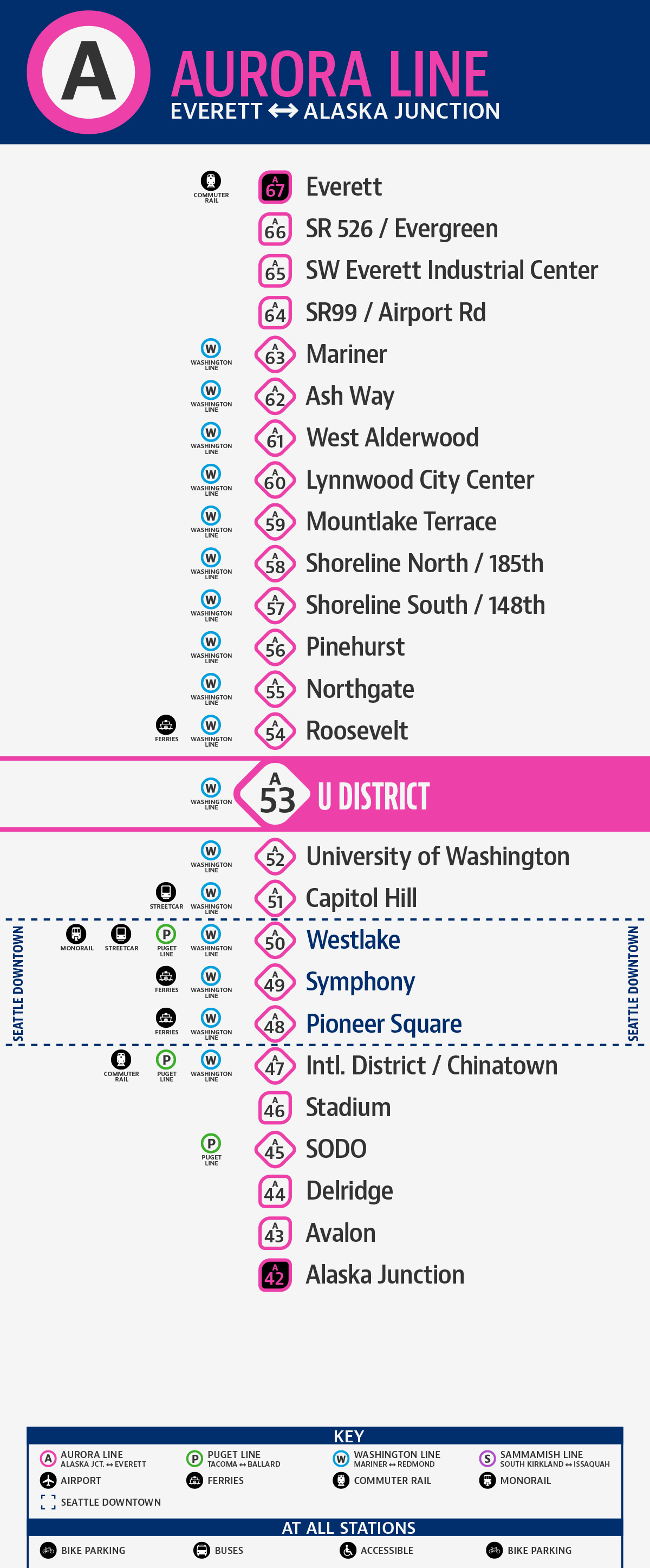
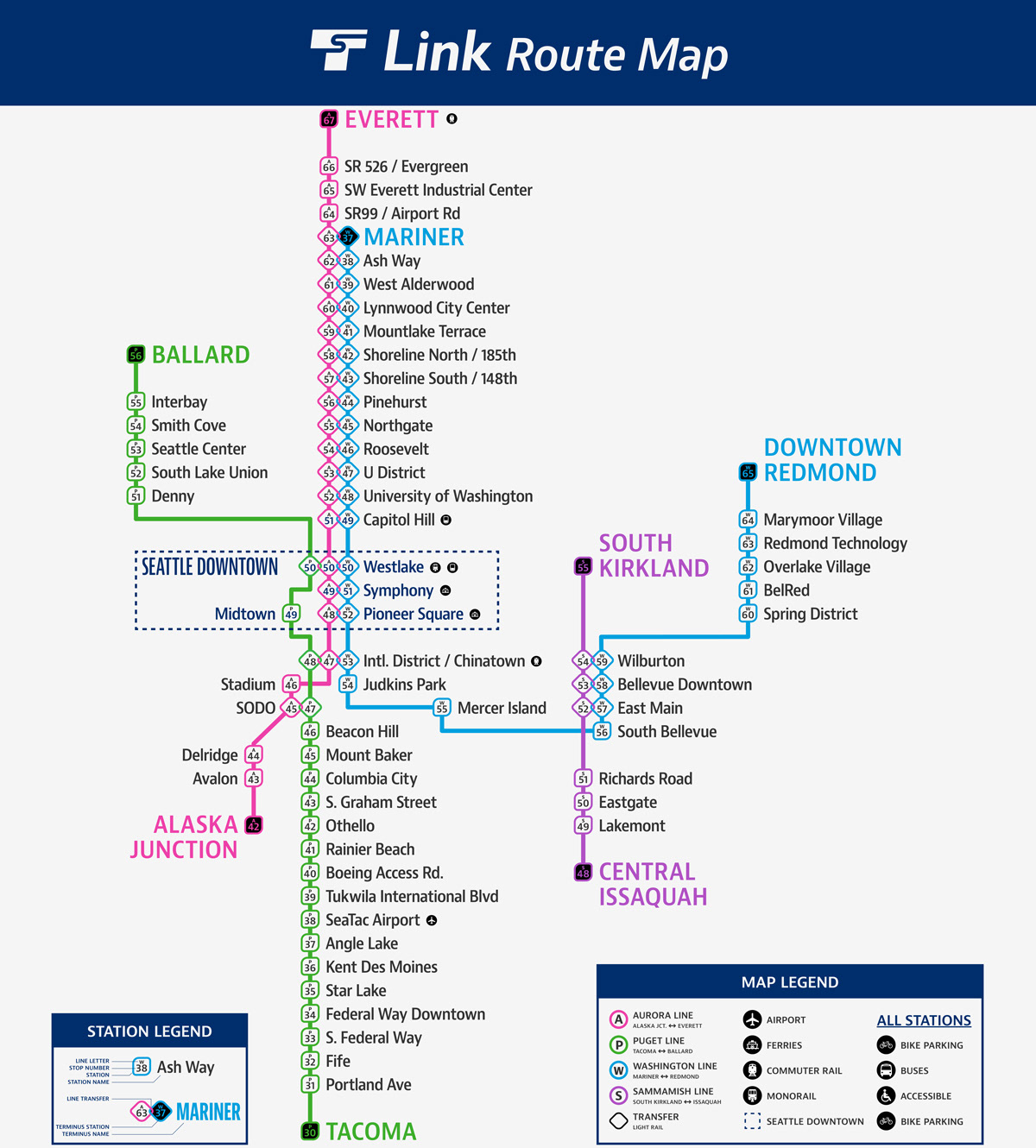
Changing Link line names from numbers to a line name and single-letter abbreviation immediately helps distinguish them from the station numbers. Markers for stops with transfers between Link lines are also turned on their side and intertwined providing additional visual cues.
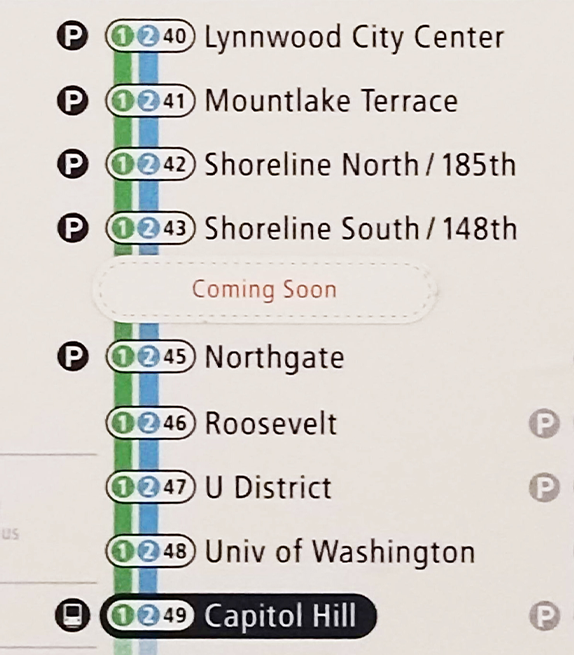
Link sees the potential to continue expanding beyond current plans (into 2044), so lines were numbered from “stop 50” in a central location (Westlake) and expanded in either direction. To reinforce the ends of a line when none are “stop 01”, the terminus stations icons are filled black.
To further complicate this quirk, Lines 1 and 2 overlap for long stretches, and share stop numbers and platforms. Riders may board the incorrect line, yet see the correct progression in stop numbers and station names, and if not careful find themselves in downtown Redmond instead of SeaTac Airport. To mitigate this issue, the lines were given inverse progressions, minimizing the overlap in stop numbers.
Line Maps
System maps for Tokyo Metro show all lines interacting, while individual line maps denote the current station, a list of all its stops, and which stops connect to other lines.
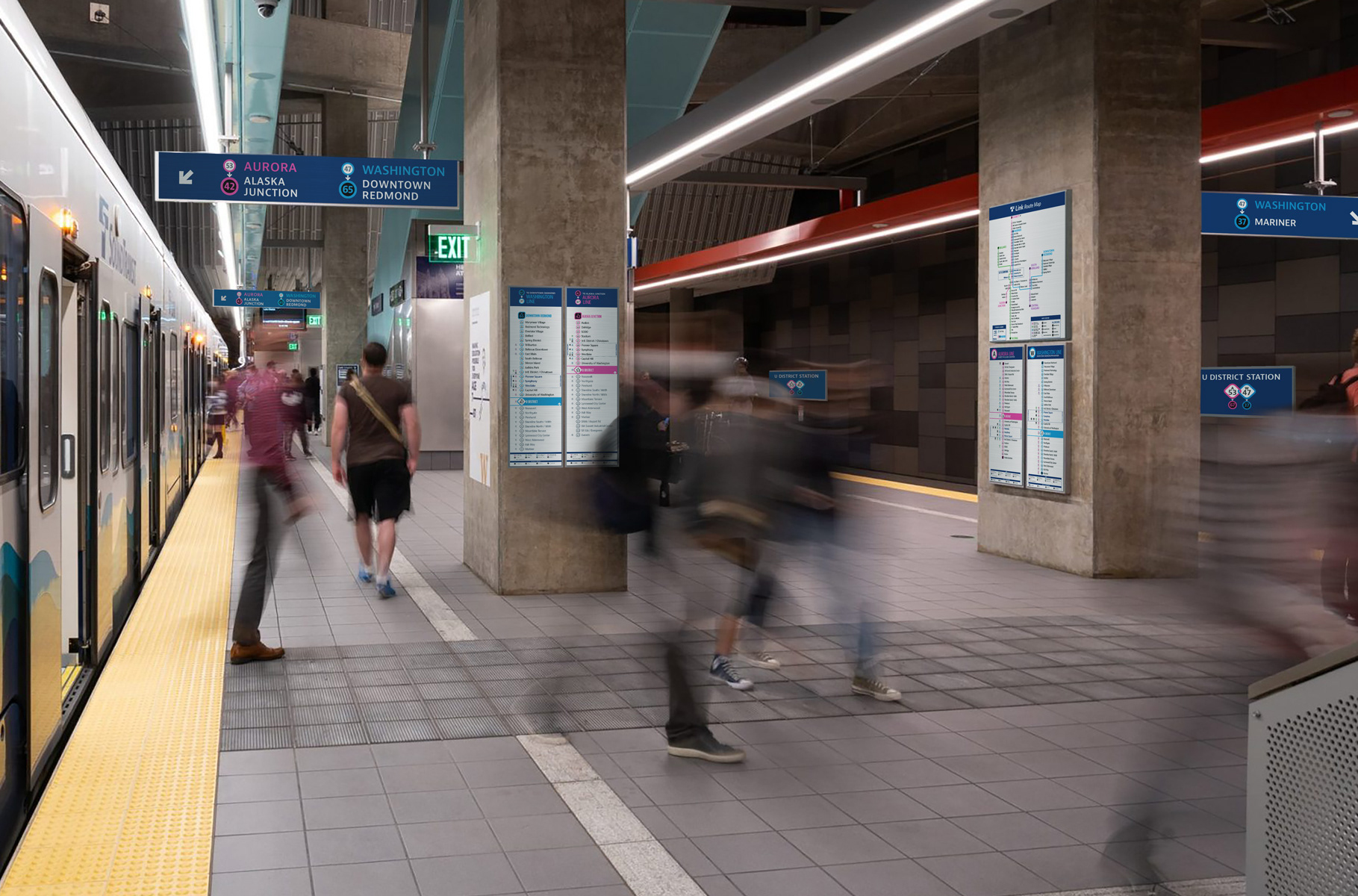
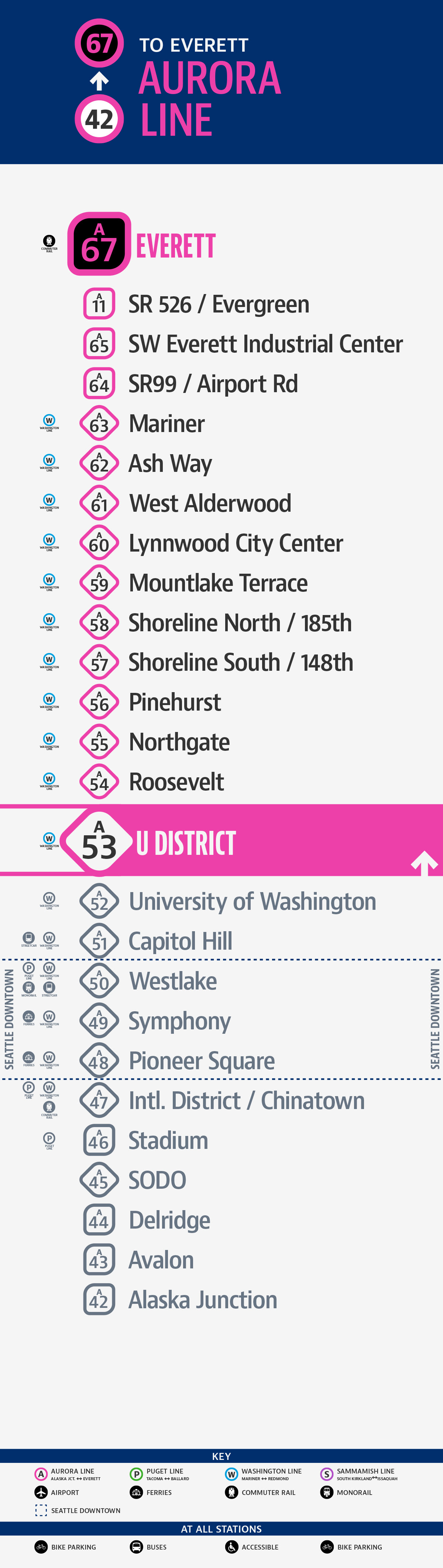
Corresponding line maps with additional details (terminal stations enlarged and stations not being served grayed out) are placed along the platforms. Riders can see where they are, where they want to go, and confirm they are on the correct platform and line to take them there.
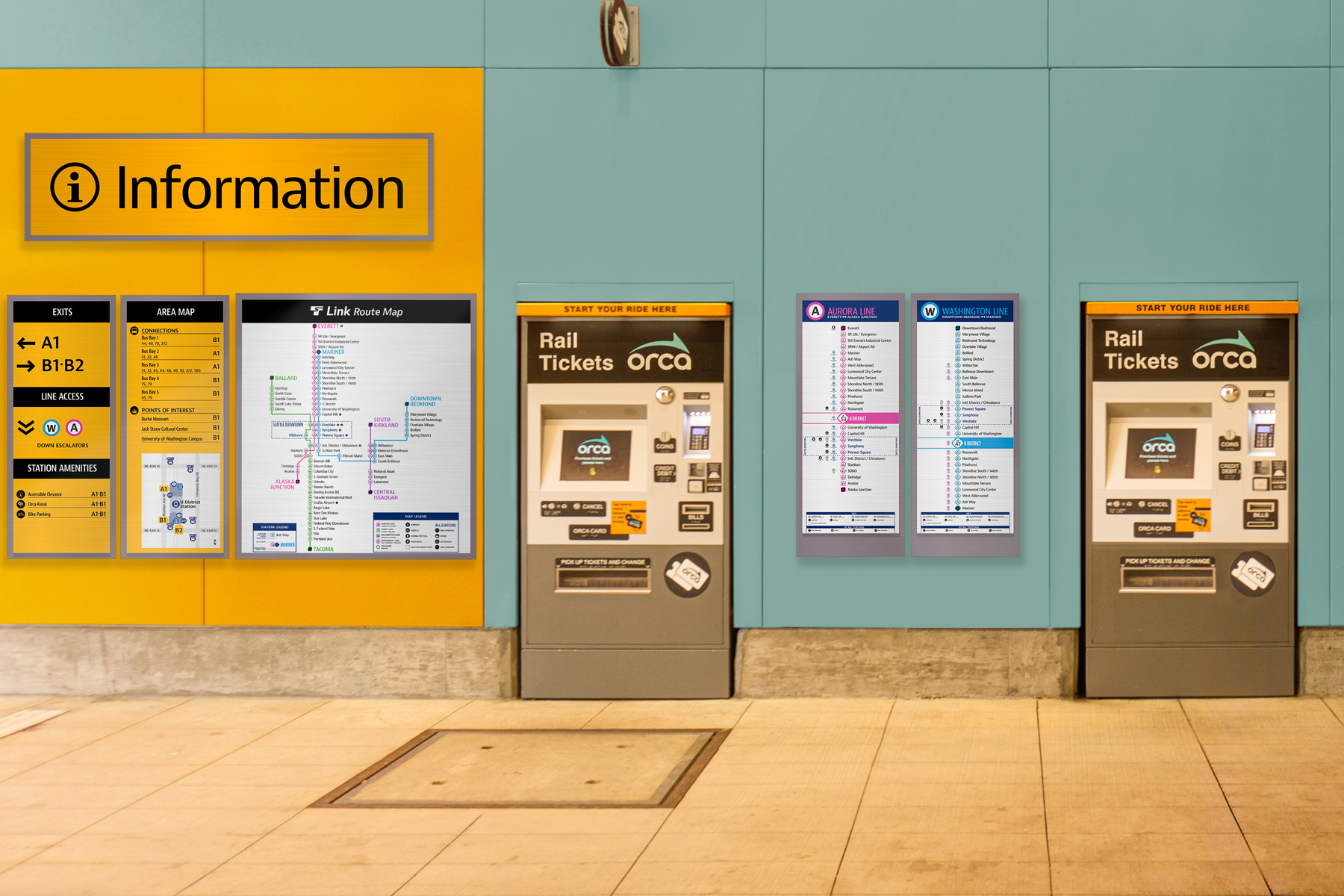
First-time visitors to the region may have difficulty with line maps because there is no station named “Seattle”. Travelers arriving through the airport have interpreted “Federal Way Downtown” as a street in downtown Seattle. For that reason, I have added redundant call-out sections included on all individual and system-wide line maps.
wayfinding and signage
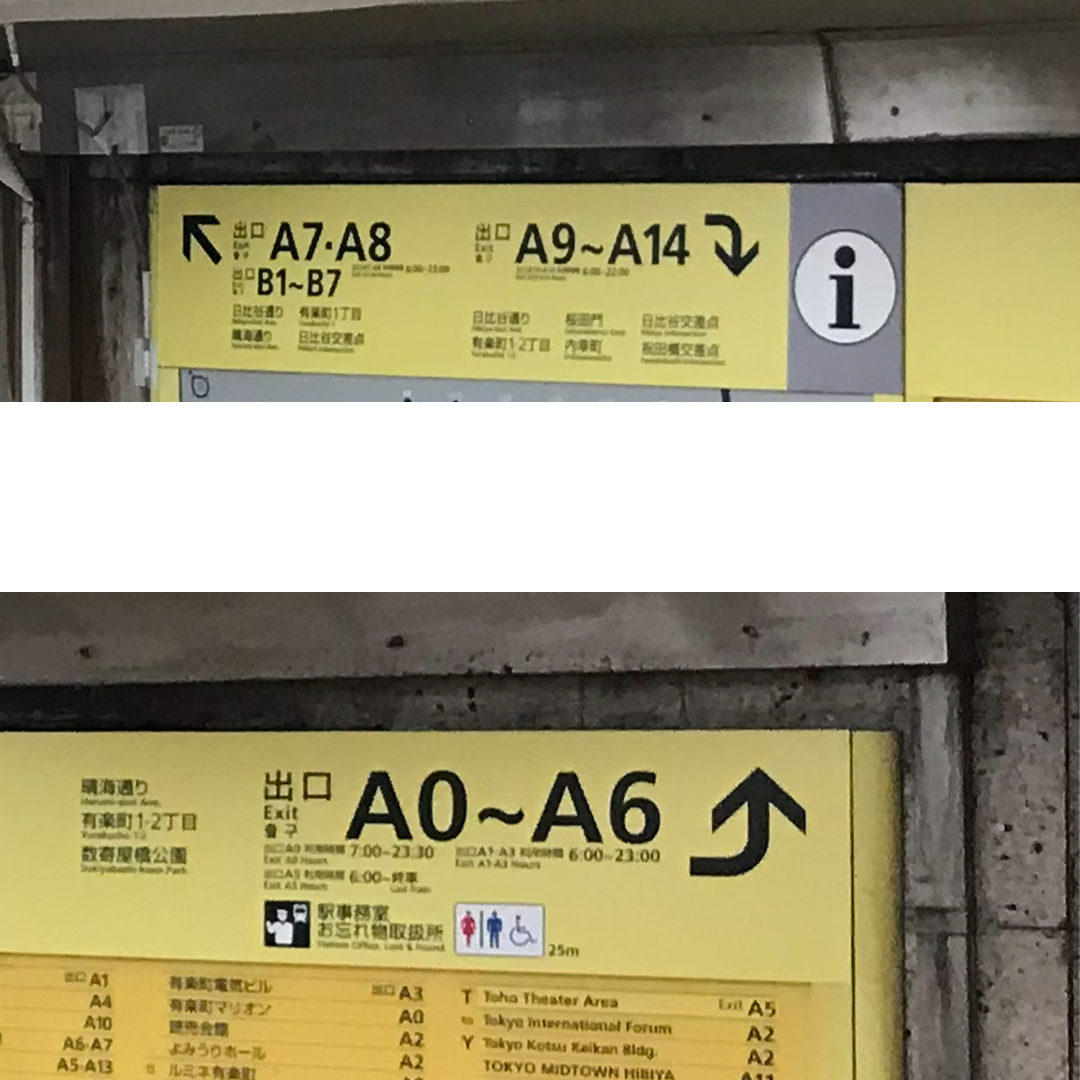
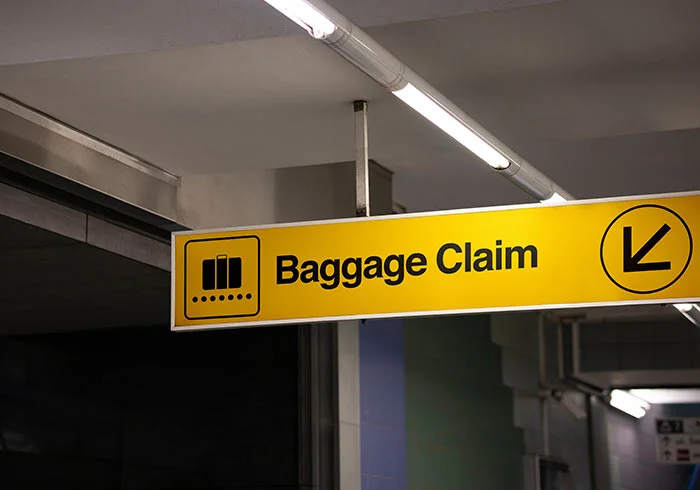
How Tokyo Metro organizes and provides information to riders is key to accessibility. Yellow and dark blue background colors separate wayfinding categories and can help Link stations become more easy to navigate.
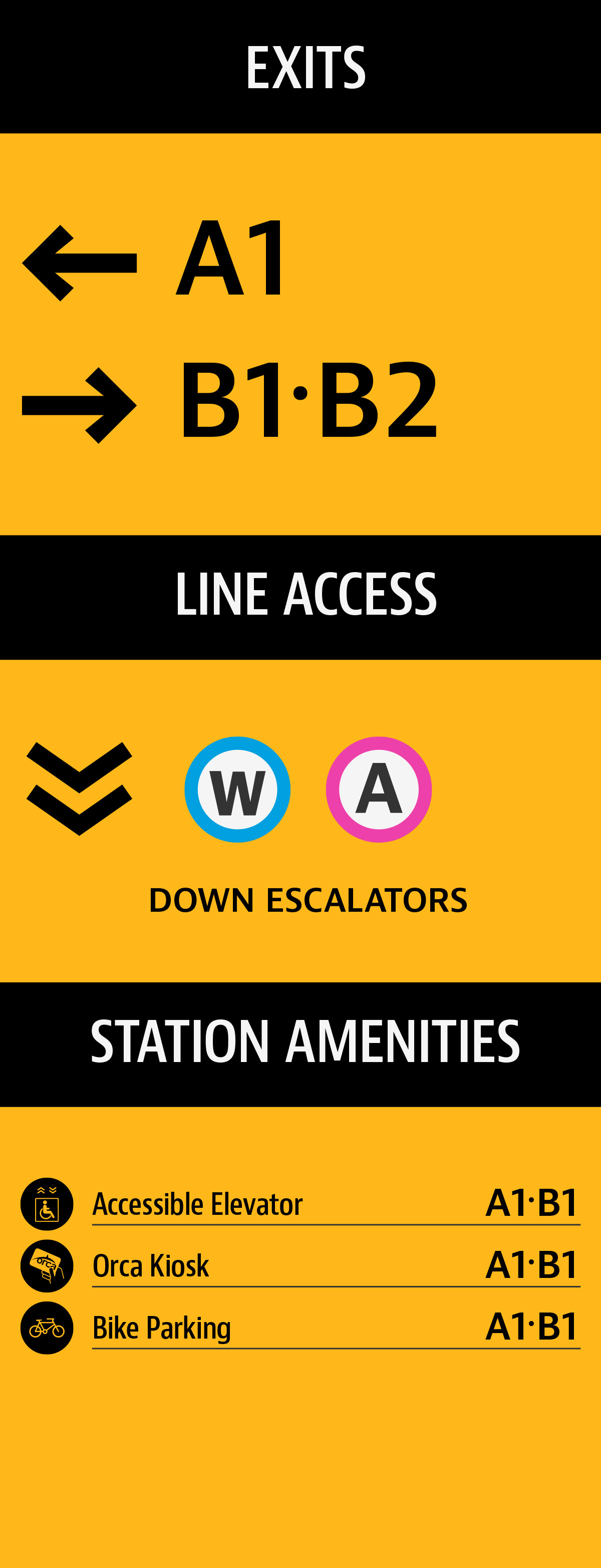
Station Guides | Yellow
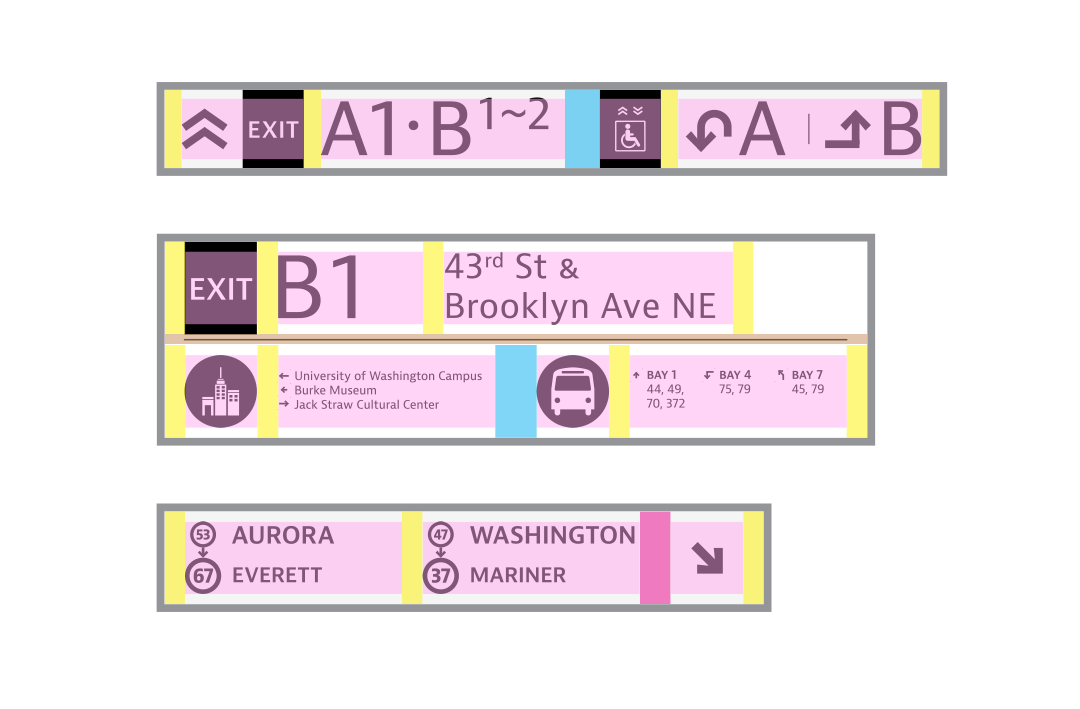
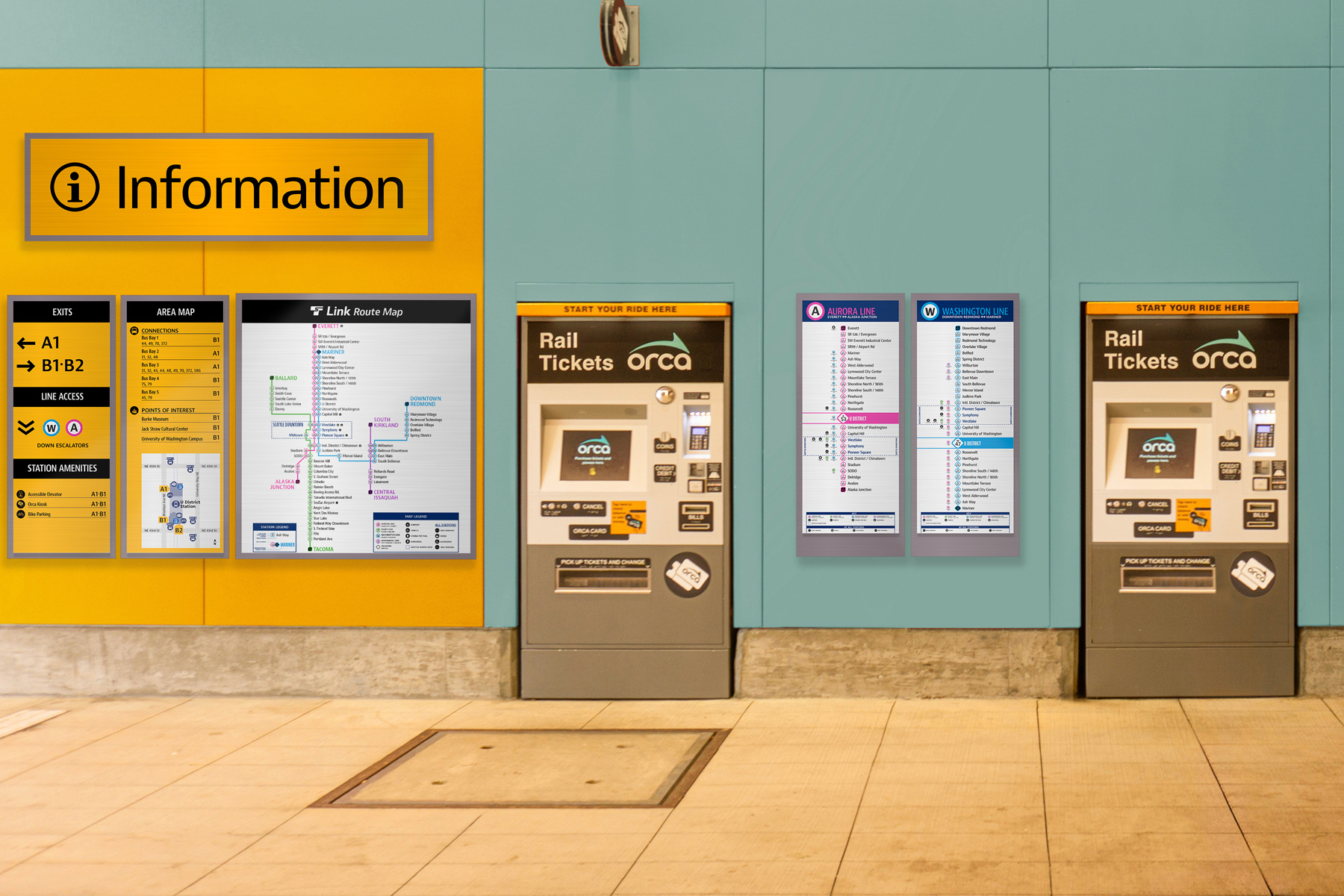
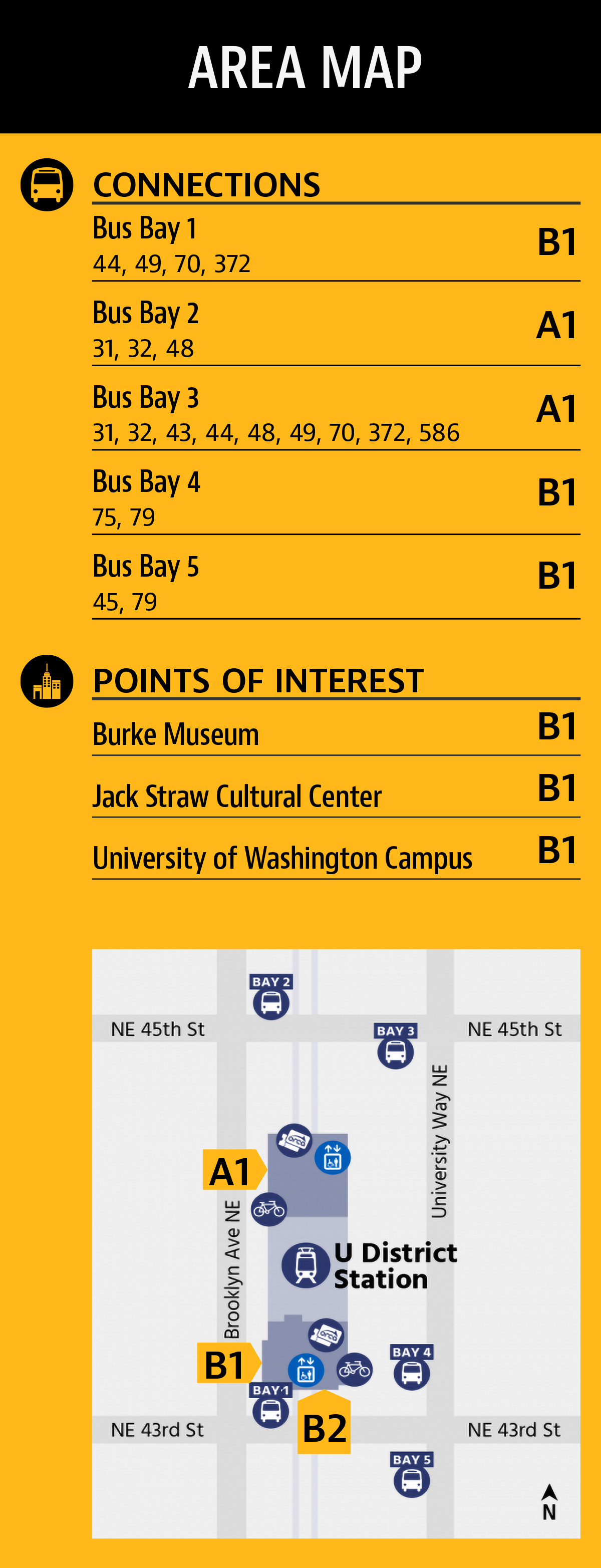
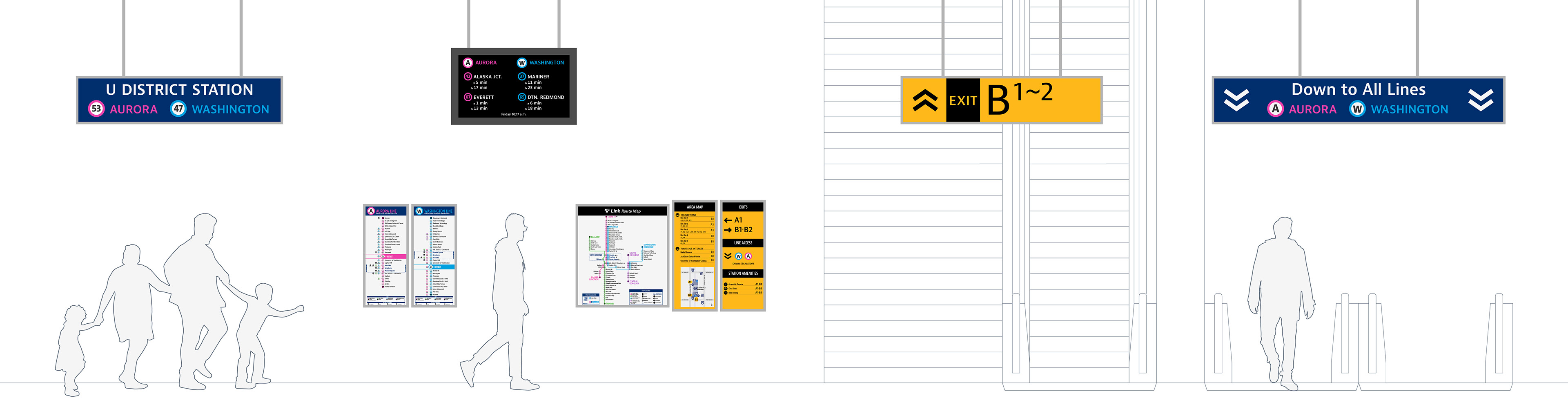
Orientation, directional, and identification signage provide information related to finding services, amenities, and exits to the station. They are easily spotted by their bright yellow backgrounds. Populated with directories, maps, and connecting services, orientation signs are placed at entrances, corridors, and platforms providing detailed information about the station and its surroundings.
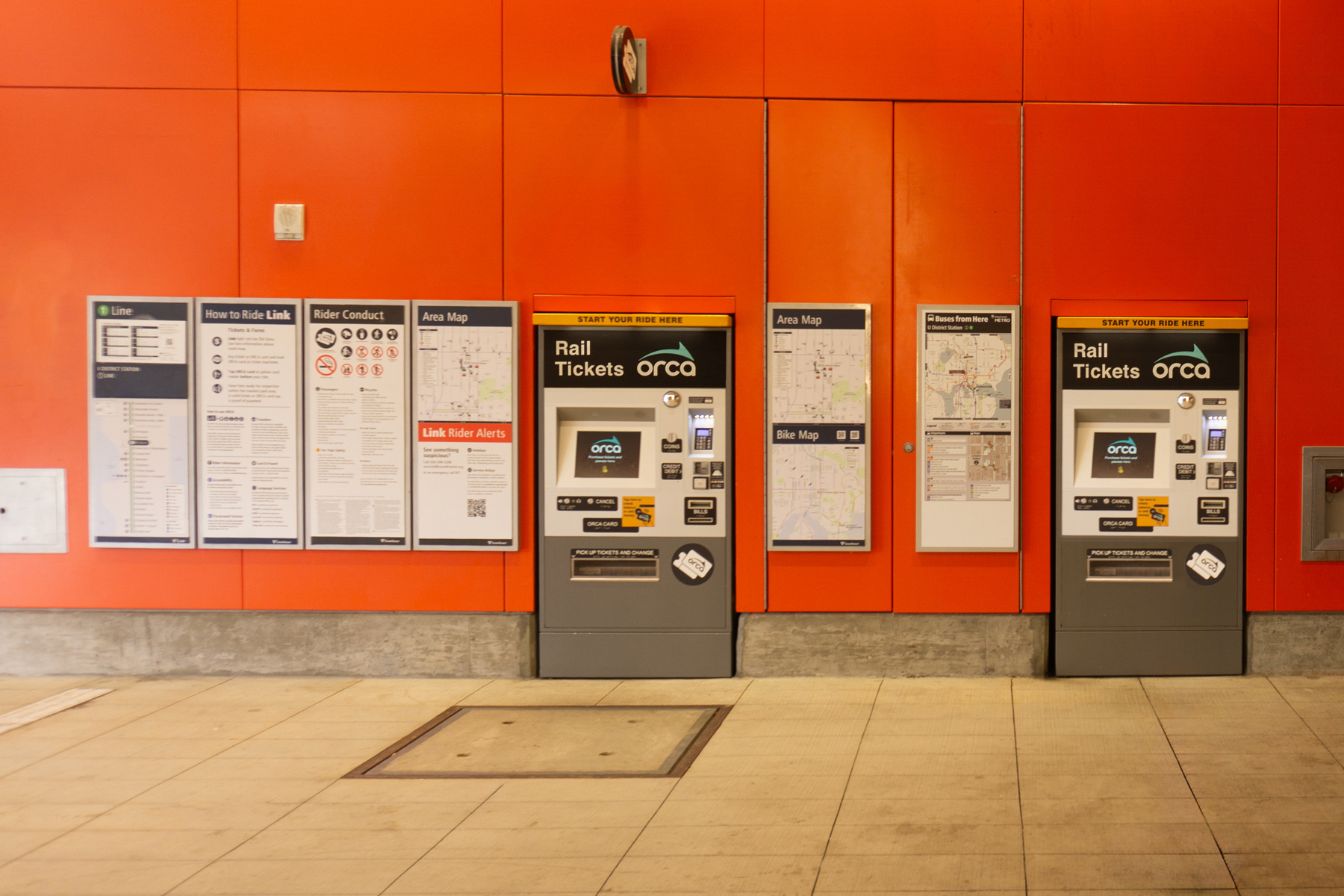
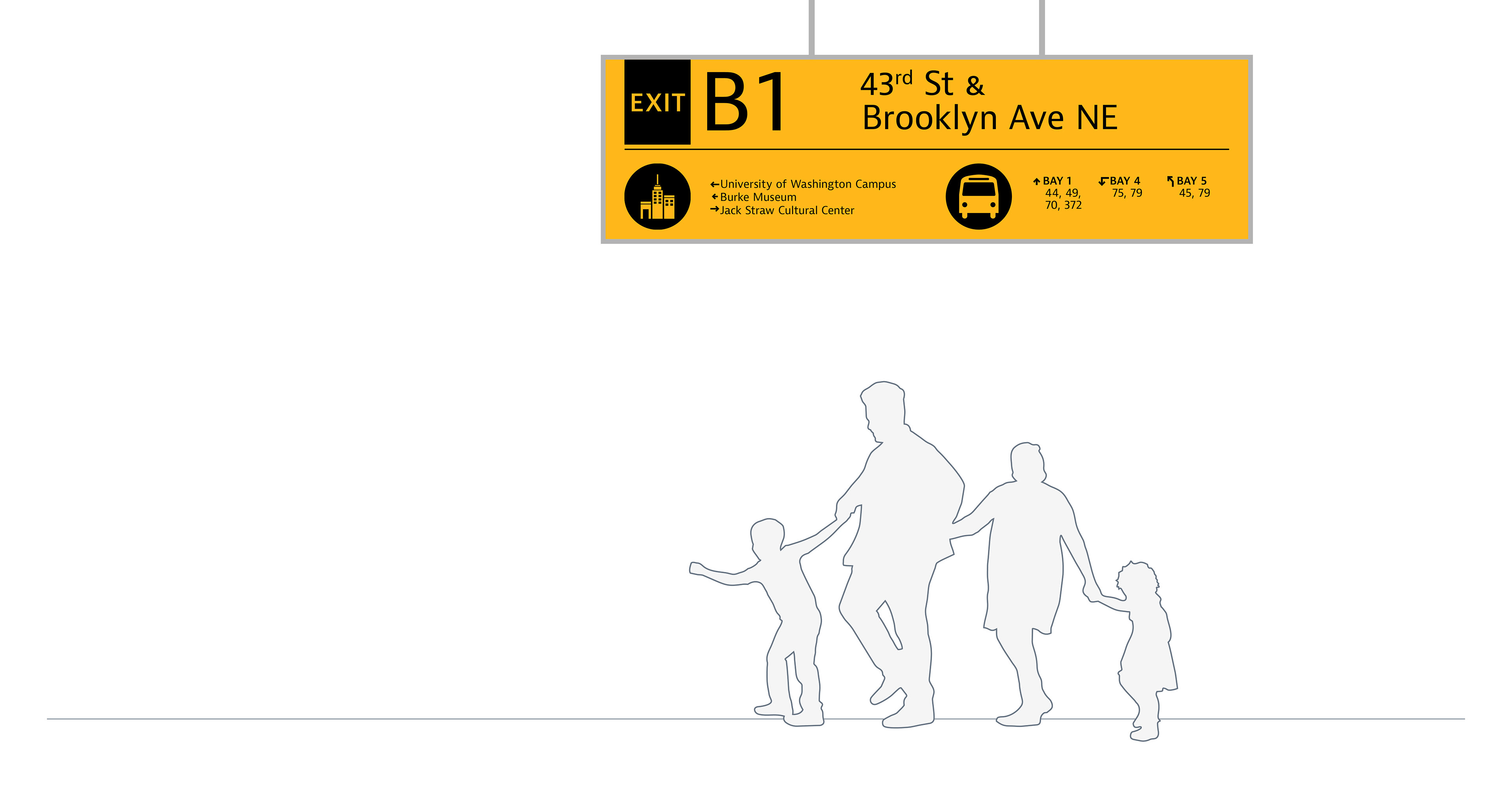
Link orientation signs even include multi-modal transit maps and connections, but the existing system is organized by exit, which assumes the rider knows which exit they want before finding their intended destination. A simple improvement would be listing all amenities, points of interest, and bus connections categorically, and notating exits to each.
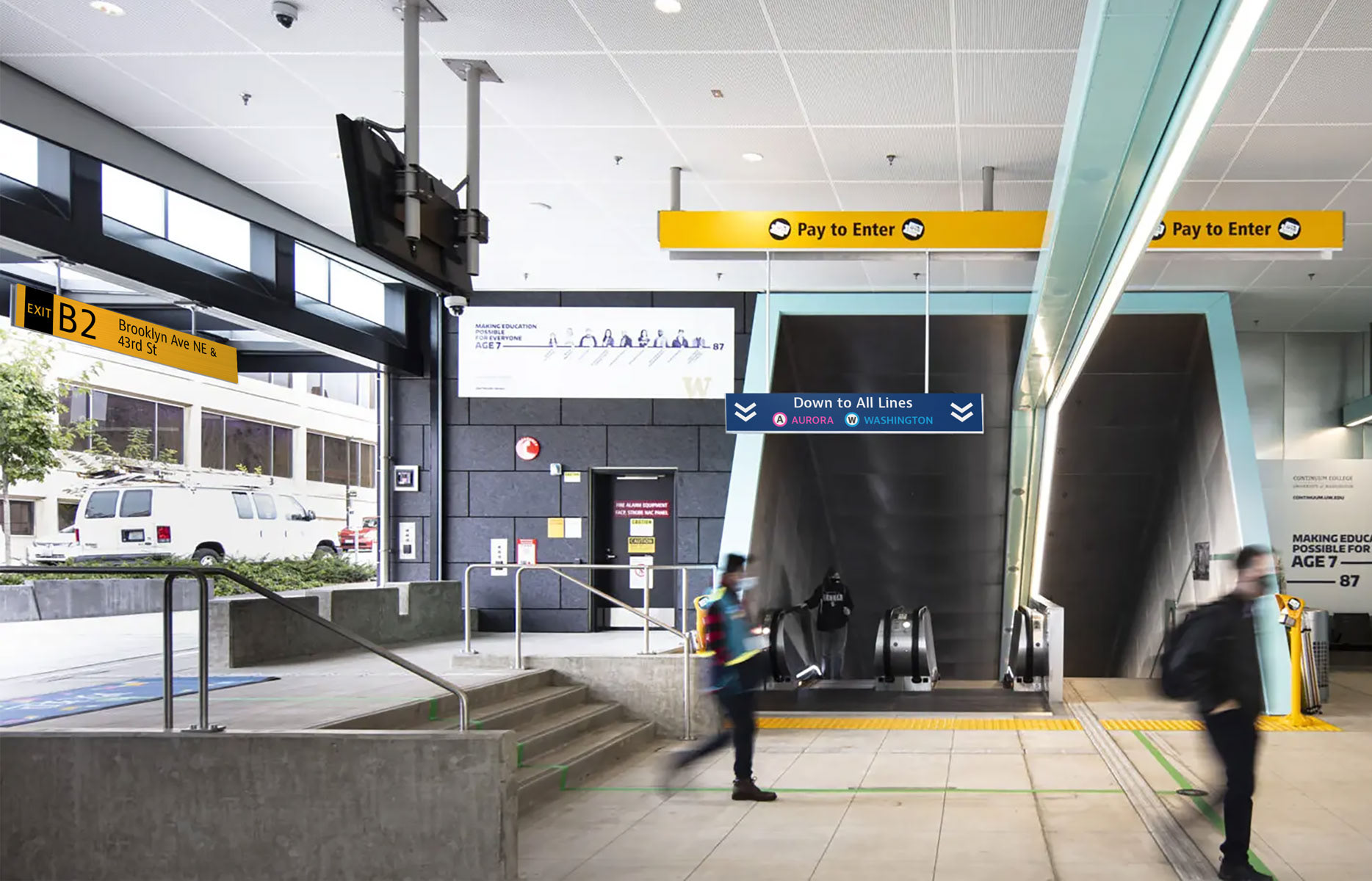
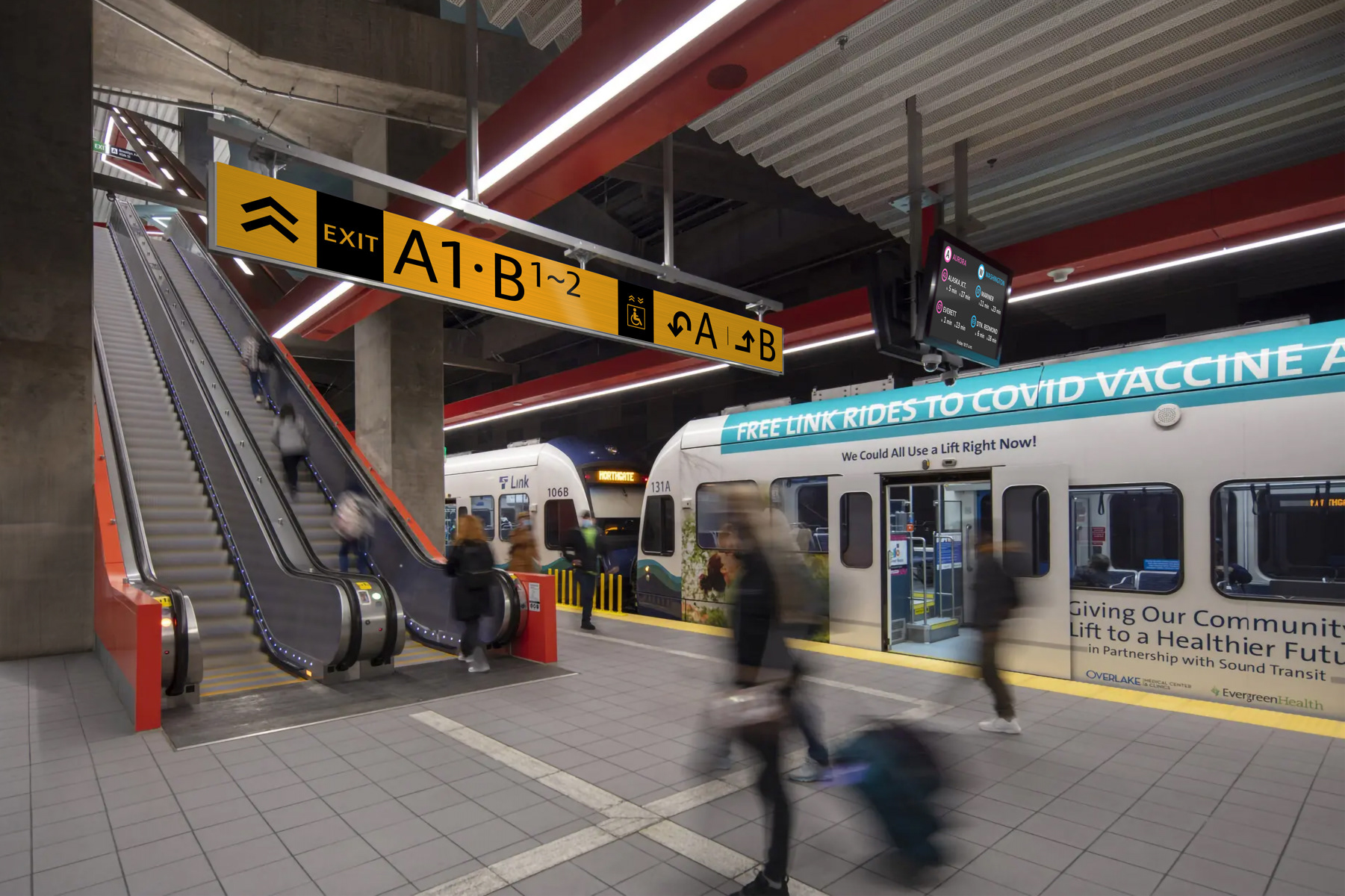
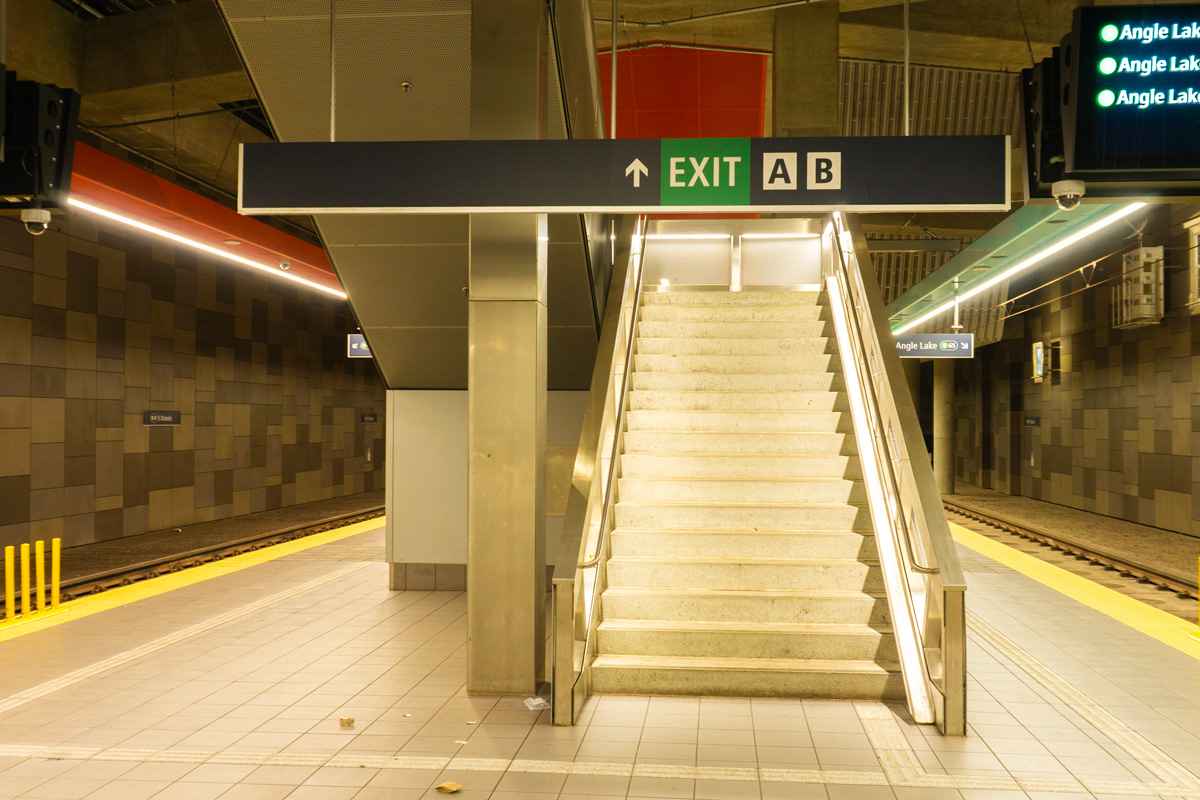
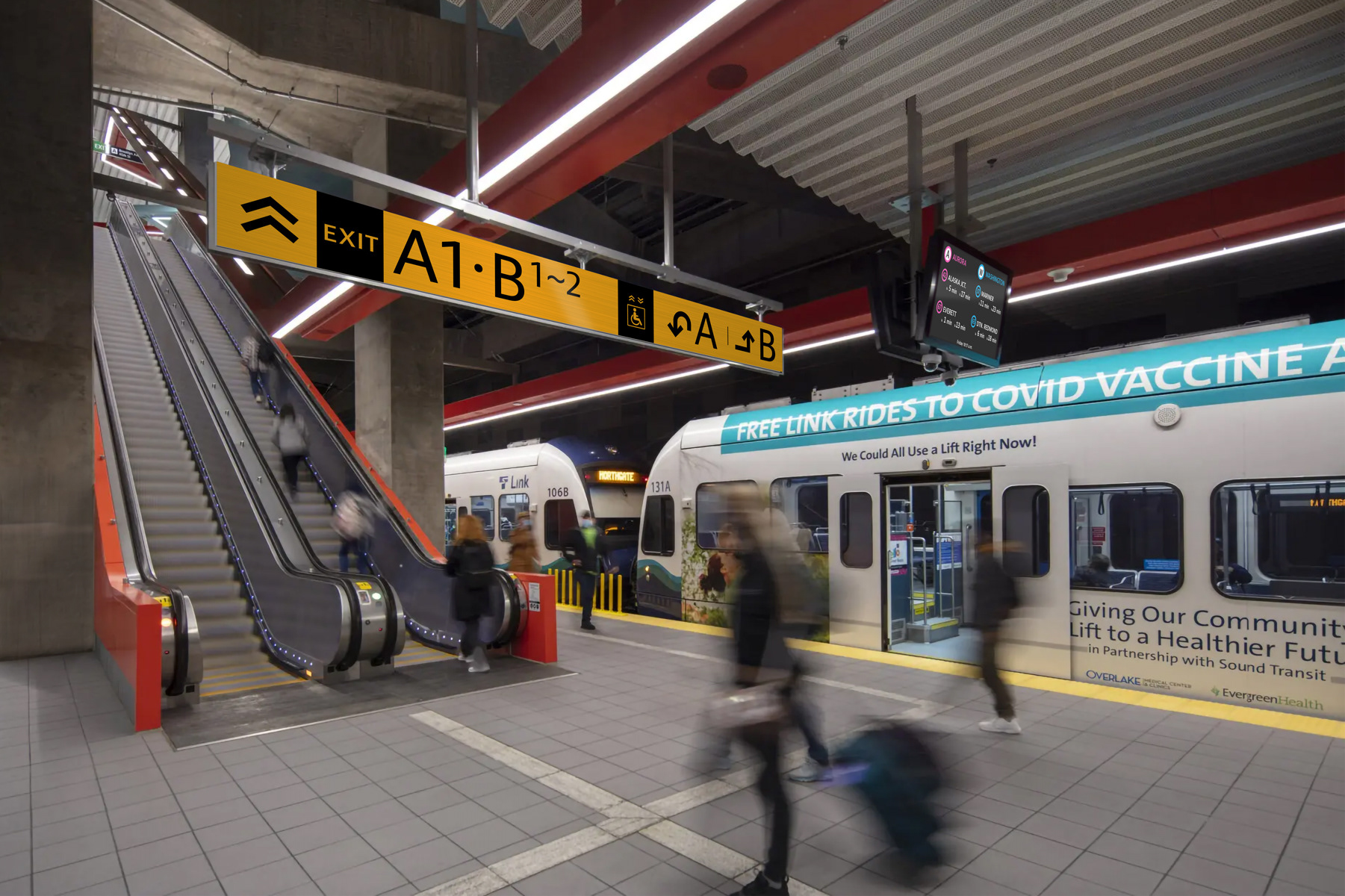
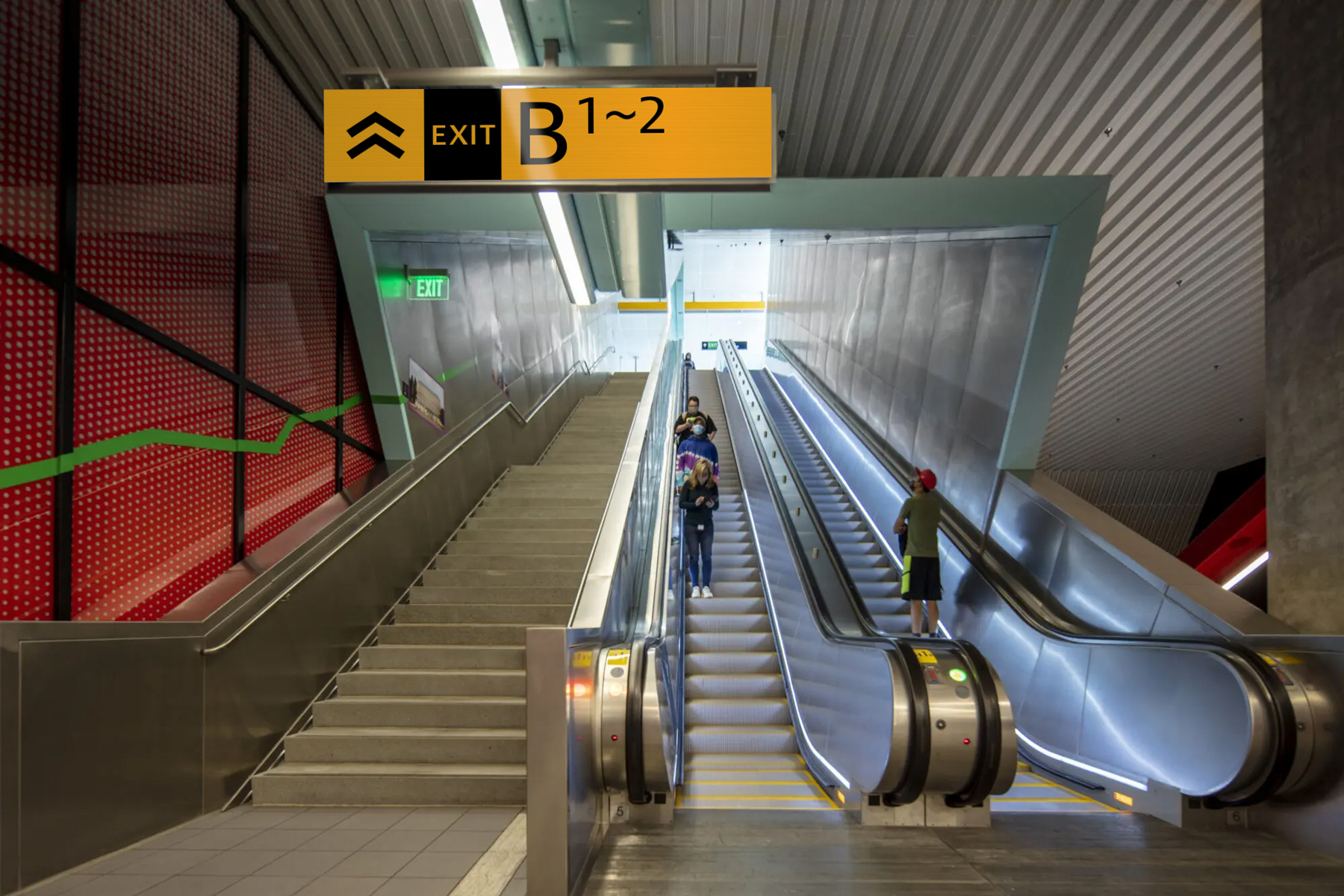
Directional signs take over once the intended exit or location has been identified. They simply show exit codes and arrows, so riders need only focus on one piece of information to reach their destination.
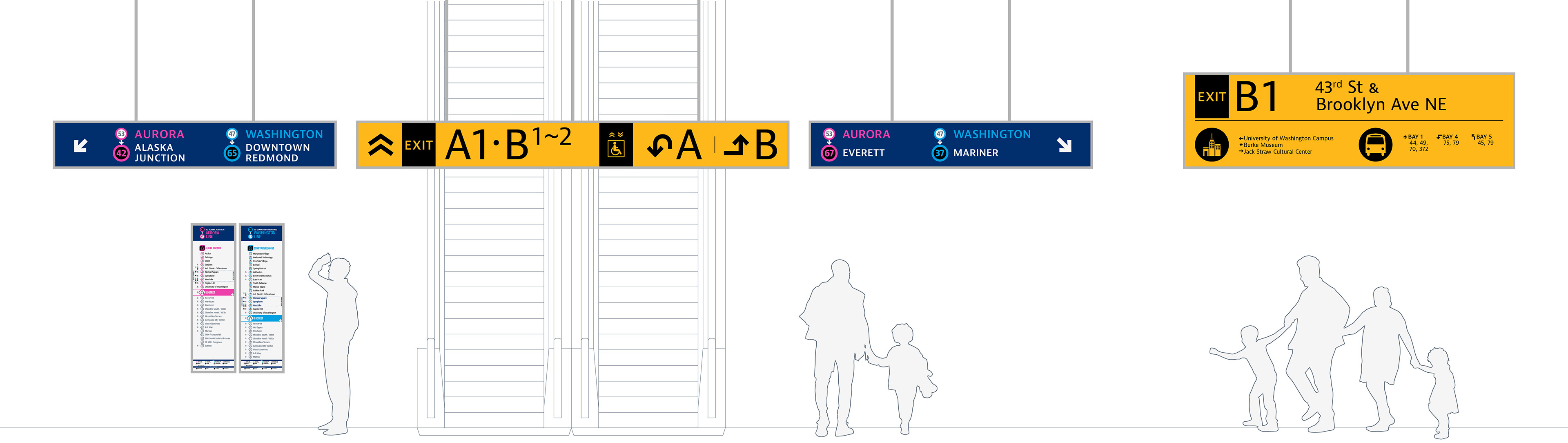
Identification signs mark exits and entrances, and notify riders when they arrive at a destination. When placed at common decision points, I added more disclosure information, allowing riders to make a final choice before walking away from the transit station.
Line Guides | Dark Blue
Similar to Station Guides, Line Guides use directional,
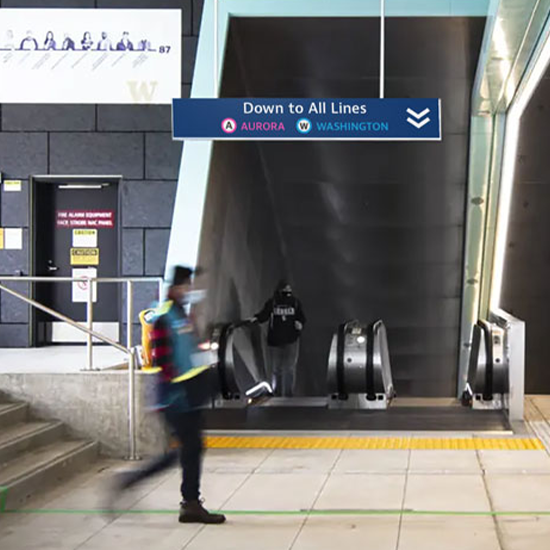
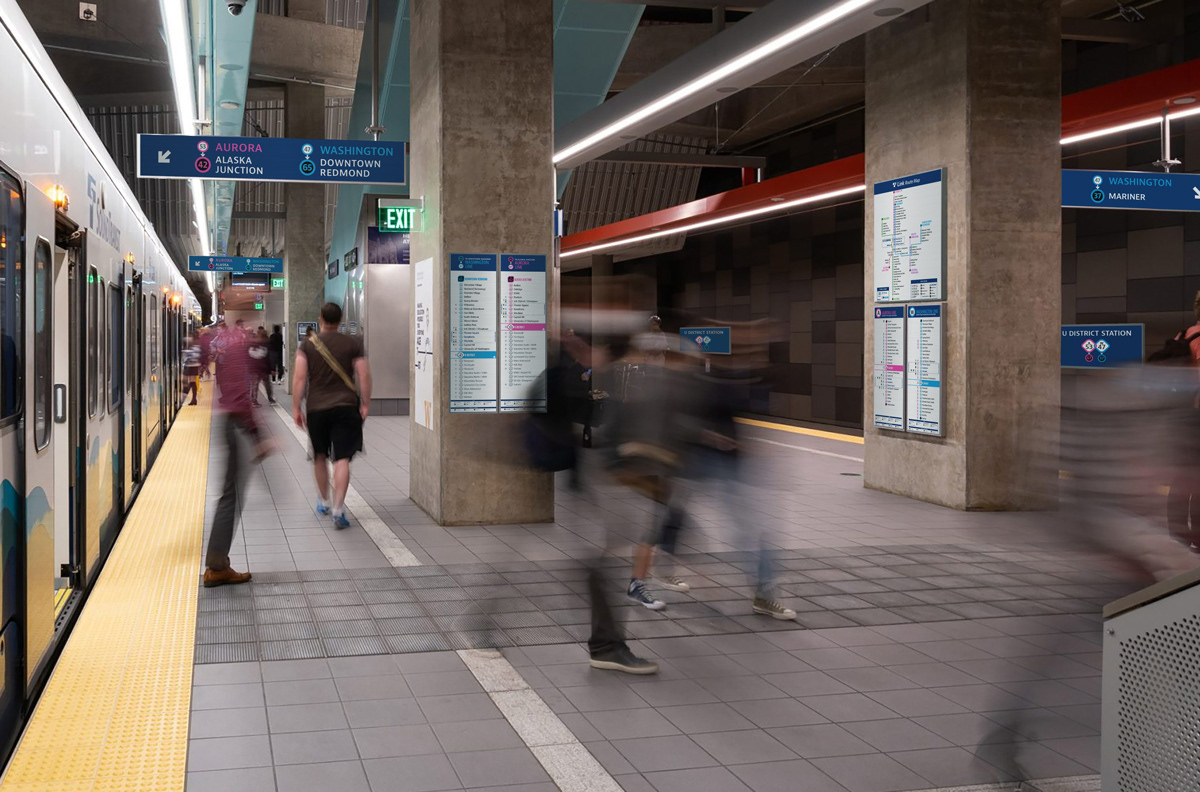
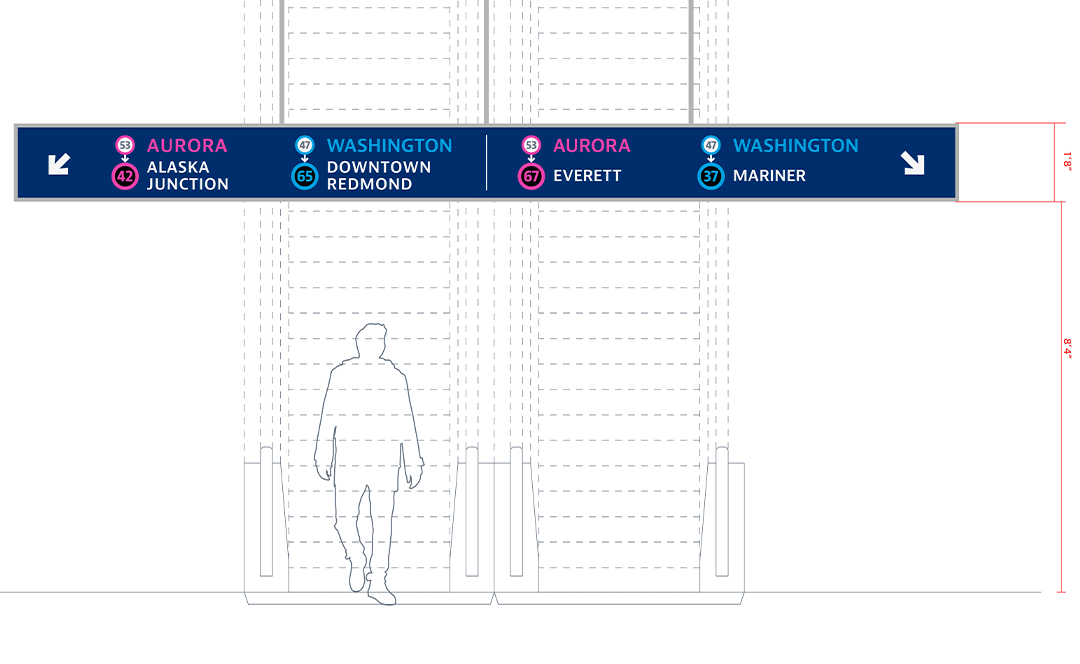
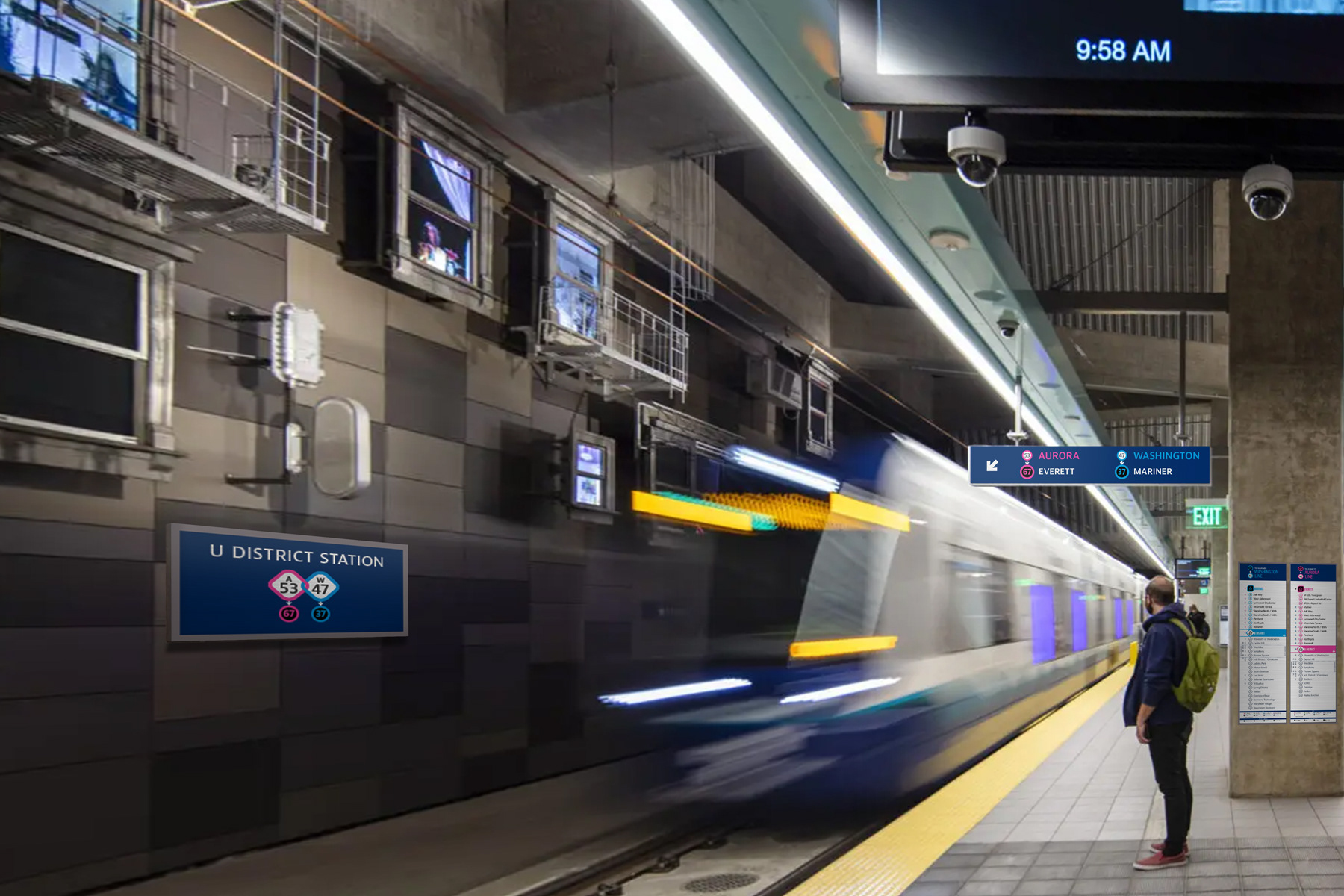
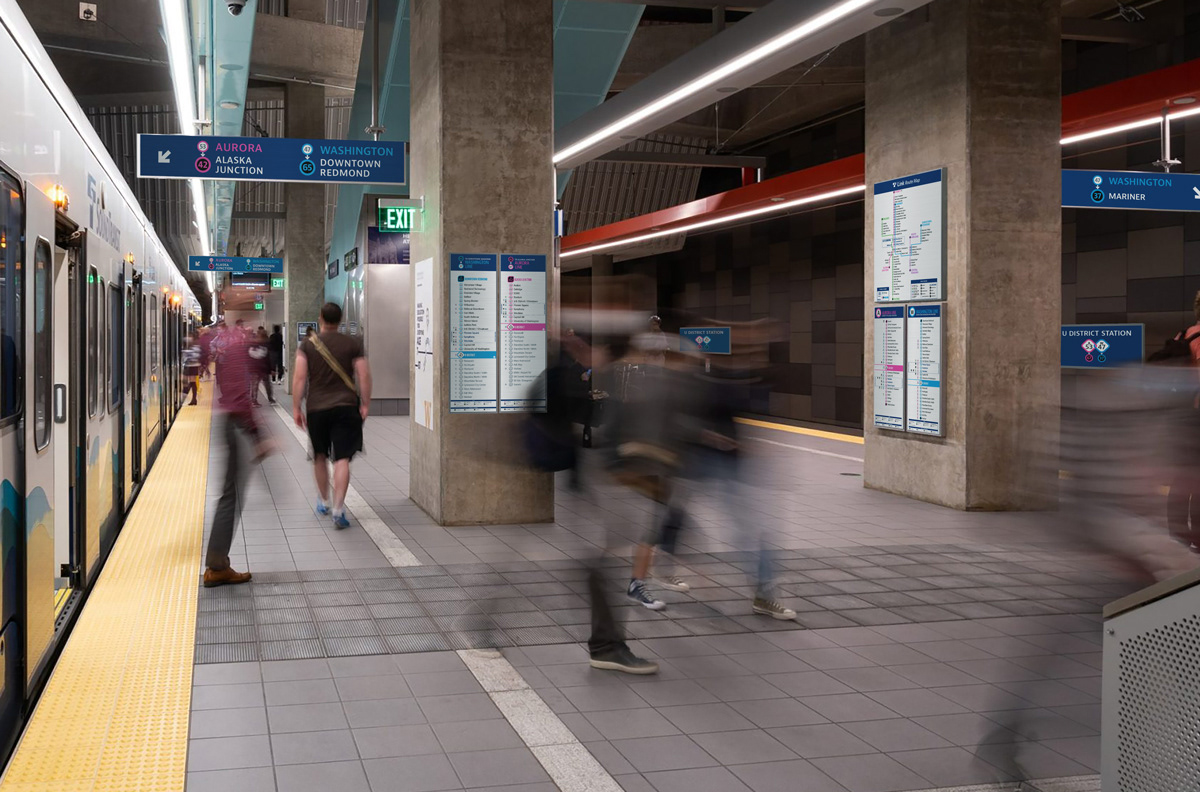
orientation, and identification signage to provide information related to finding the platform and rail for a given line. The blue backgrounds make them easily distinguishable from Station Guides. Overhead directional signs direct riders to platforms, while orientation signs provide line maps. Identification signs overhead and on walls also help riders confirm they are on the correct platform and heading in their intended direction.
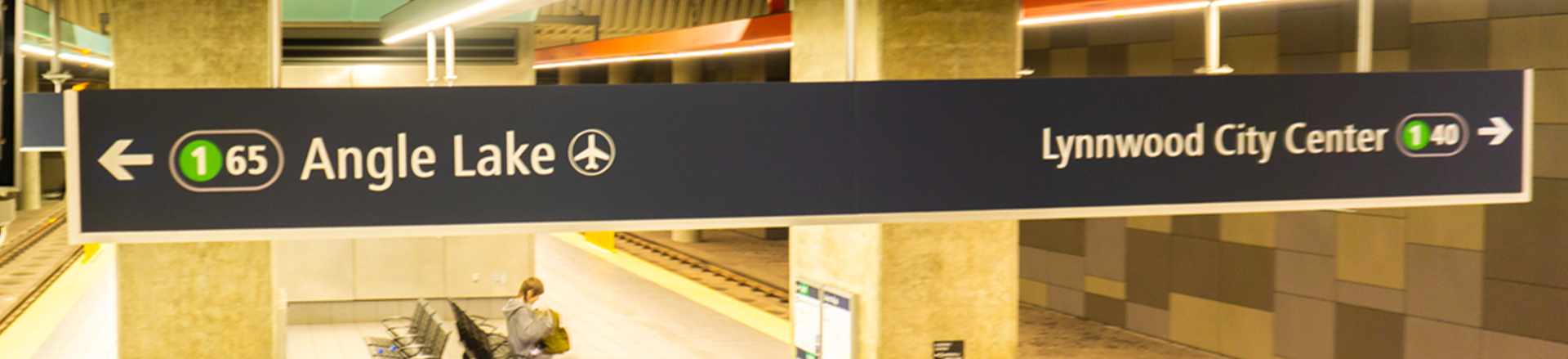
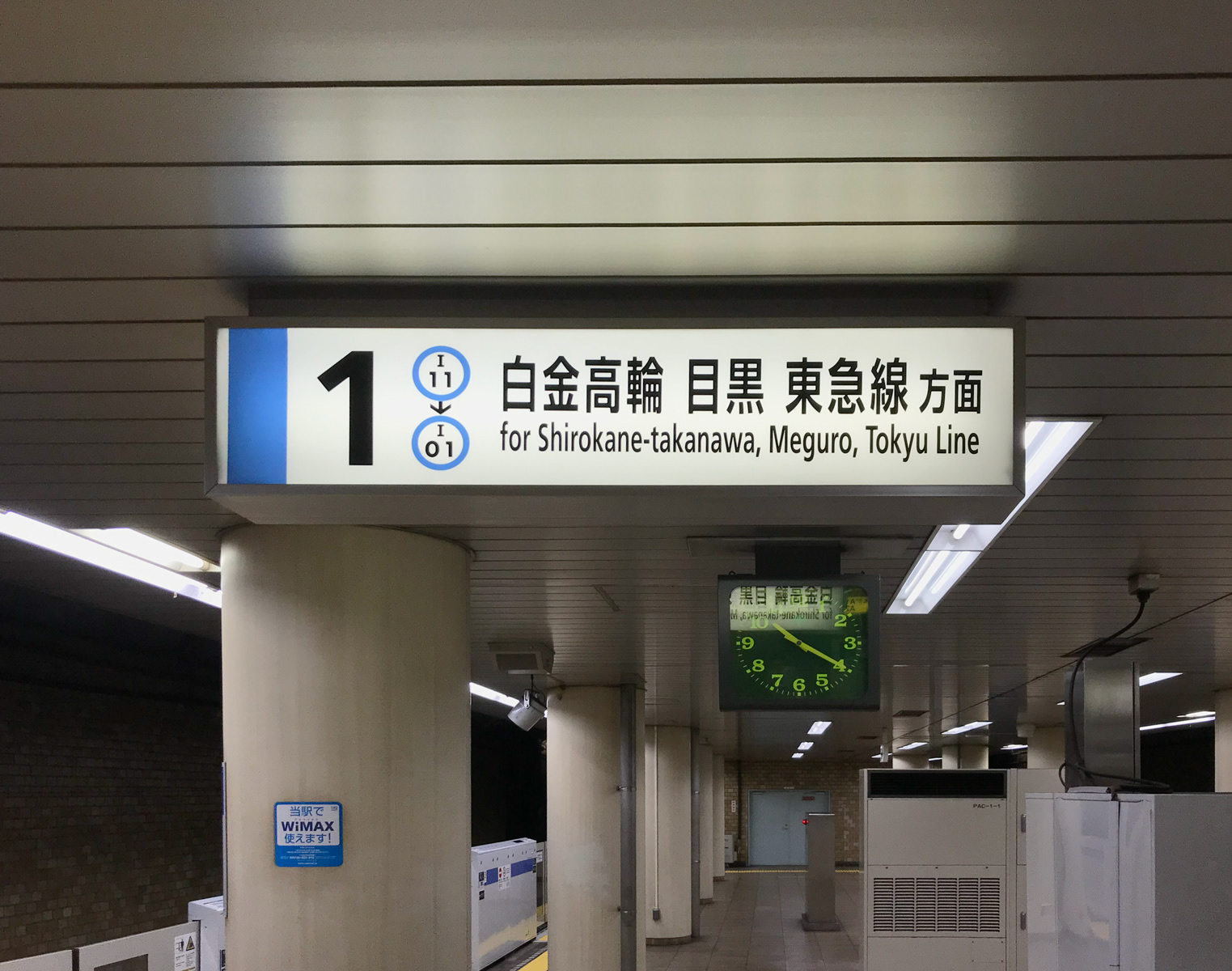
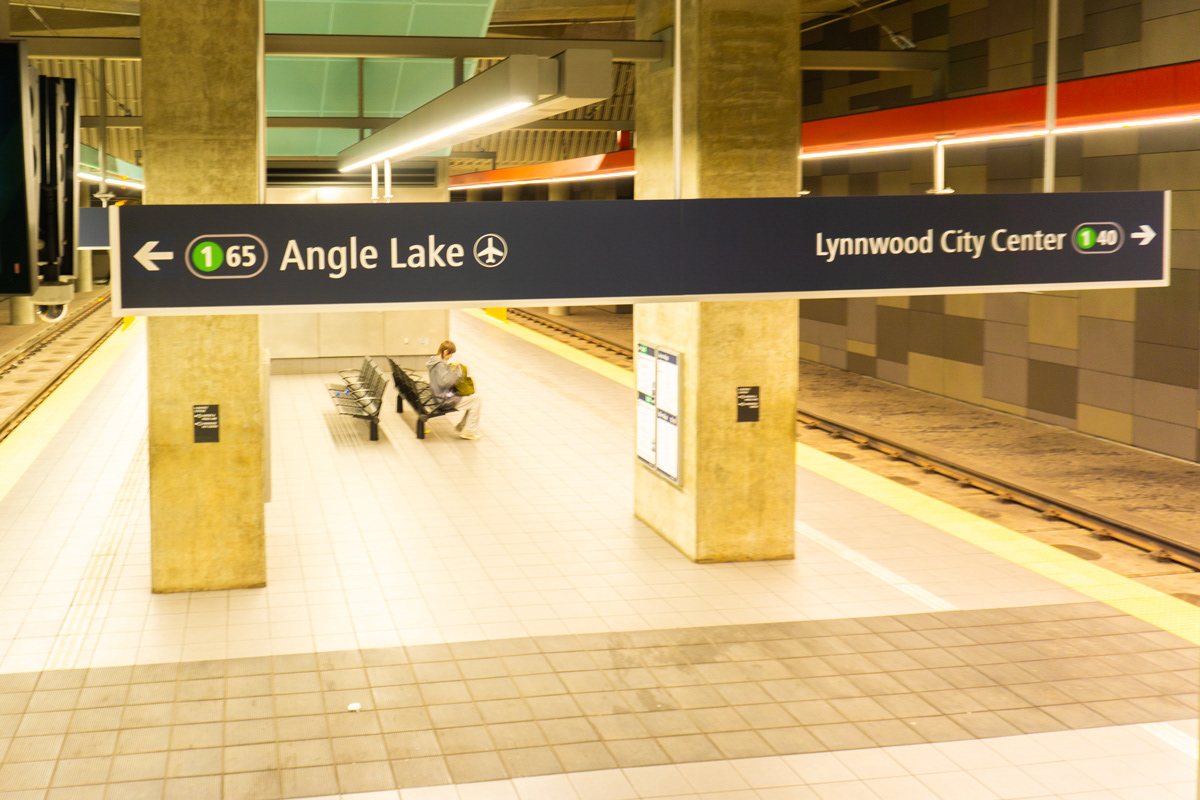
Entering a Link platform, overhead directional signs list the terminal stop for each rail, but because there are no easily identifiable line starts (no “stop 01”), the addition of the current station numbers allow riders to easily recognize their intended line direction.
In spite of being a complex transit system with more than ten lines and connecting to non-regional trains, the Tokyo Metro is easy to navigate. Wayfinding is simple, clear, and intuitive, creating an accessible experience for locals and foreigners alike.
Link Light Rail has many great features. As it grows, it will benefit from continuing to improve its wayfinding system to meet the needs of its growing ridership. Why not take a few lessons from the largest metropolitan area in the world?